Work is going on this website. Sorry if it is causing some trouble for you.
Please allow Google Ads to open on your Browser. Thanks.
This website is best viewed with monitor resolution of 1024x768.
This website makes an attempt to offer you recipes primarily from Mangalore, who originally migrated from Goa. So we have very many similarities.
Our mothers and grand mothers perfected Mangalorean cooking. However, the memory of the taste of these foods they prepared is fast being forgotten with new trends in the food industry,
For those, who are enterprising and interested in trying a variety of dishes, and those who are longing for their home food, this site may prove useful.
Being a Catholic brought up in that milieu, I have absorbed many values, which I like to share with those with similar interests. I believe, the food is needed for the growth of the body, but there is also a spirit within us, which needs sustenance. I wish to share the unique gift of music, which I have dedicated to my Maker, and added it under the component: Catholic Church Music which can be freely used by our visitors, if they like it.
I have also included a Text Book to learn Music, and its script. One generally does not realize its importance, with the modern recording and play back tools that are available. But not all music is recorded, and the older music, is retained in the memory, and some have been good enough to write it in notation, which is the only way, to render music which is two dimensional, i.e. it is based on time and tonal pitch. The lyrics can be written in spoken languages, but the music can not be. That is why, through a process of trial and error, the script was developed over 8 centuries, and the greatest of music that has come from the human mind, is available only in this form.
Thus the whole reason of this website, is to share what we have with others. What we received from our ancestors, and which they gave us, because of their love for their children, we should also pass it on to the next generation. I hope this tradition of sharing will go on, as years roll by and old faces disappear from the scene.
I would appreciate any feedback so please feel free to email me.
In the early forties to fifties, India had gone from the British Raj to the Indian Republic while Ceylon put up Voice of America and had a propgram of People's Choice when people of my age group grew hearing these artists, and I wish to present to those a glimpse of their past to revive the old memories.
Mumbai's Trendiest Cuts
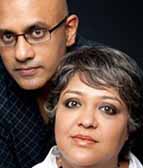
Ranjit and Ruchi now operate from Goa. Call them for appointments.
Timings: 9:30am - 9:30pm
Call +919821611343 for appointments
Click on the picture below:
Google AD 2: Click
Web Links
Links:
Find other websites of interest here. Create your account and post a Web Link of your own. Click on the link below